
Bound
Bound - Youth Sports & ActivitiesSports
4.2329.00 Reviews
- Version
- 2.1.20
- Installs
- 100.00K
- Age Rating
- Everyone 10+
Screenshots
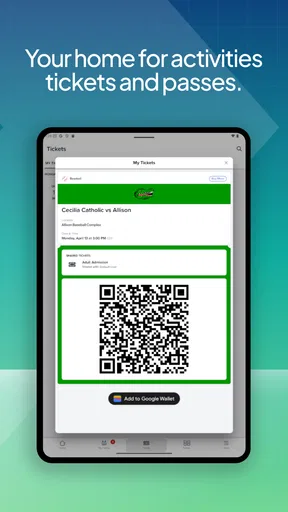
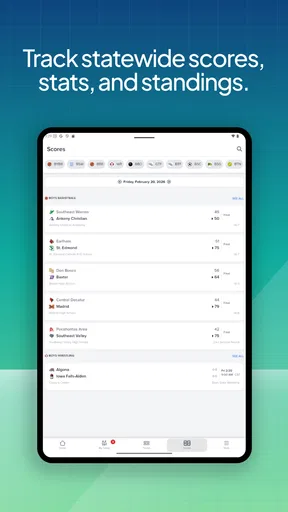
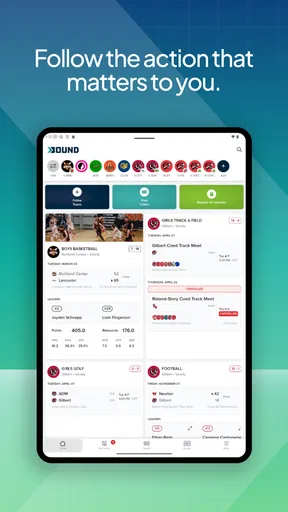
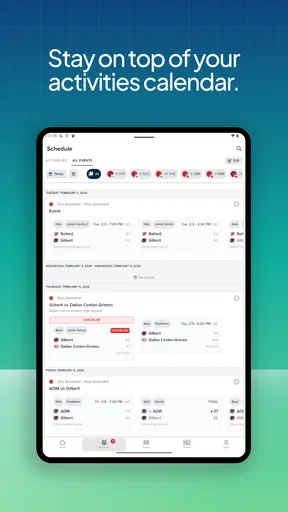
Our Review of Bound
 Analysis by Appyee
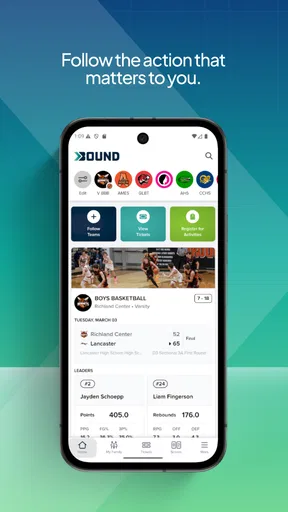
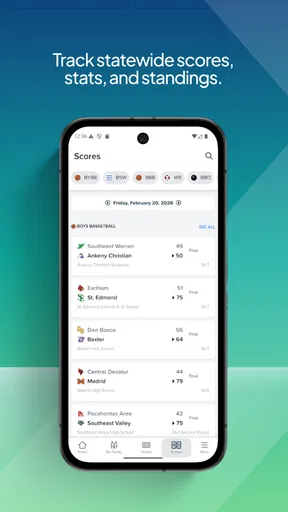
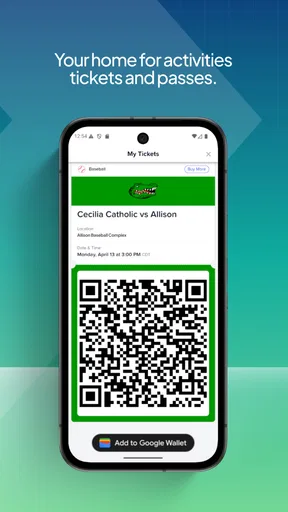
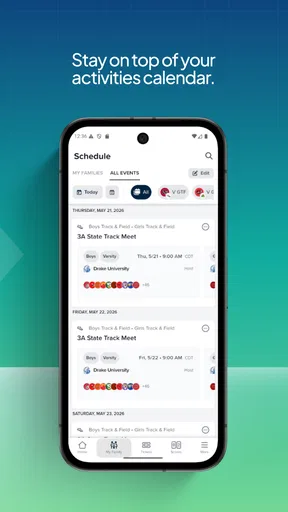
Bound is a sports app from Bound - Youth Sports & Activities that I found most useful when youth sport is treated as a shared routine rather than a one-off event. Its focus is broad enough to cover the everyday side of activities, but the real question is whether it makes coordination easier when families, young athletes, and organizers are moving between home, school, practice, and competition. In my experience, that is where an app like this earns its place: not by replacing a coach or a club, but by reducing the small communication gaps that make youth sports harder than they need to be.
The app is free, aimed at Everyone 10+, and sits in the sports category. It has reached over 100 thousand installs and holds a 4.1 average from around 1.1 thousand ratings, with 281 written reviews. Those figures suggest a useful level of real-world adoption without making Bound feel like an all-purpose social network. I see it more as a practical companion for people already involved in youth activities, especially when keeping up with changing plans matters as much as the activity itself.
How Bound feels when the network is part of the experience
The first thing I would tell a new user is to think of Bound as a connected service. Its value depends on information moving between people, so a reliable connection is important at the moments when you need current details rather than something remembered from earlier. Checking an activity while preparing to leave, reviewing a change before practice, or trying to stay aligned with other parents all become less convenient when the network is slow or unavailable.
That dependence is not automatically a weakness. Youth sports are naturally collaborative, and a connected app can be more useful than a paper notice or a message buried in a busy chat. The trade-off is that Bound fits best into a workflow where users open it regularly and expect updates to be shared digitally. If your group still communicates almost entirely through printed schedules, phone calls, or a single messaging thread, the benefit may be smaller until everyone adopts the same habit.
I also found that connectivity changes how much confidence I place in what I am seeing. A current screen can support a decision about where to go next, while an old message can create confusion. For that reason, I would avoid relying on a remembered screen when timing is important. Open the app close to departure, particularly if the day has been unsettled or several people are coordinating the same activity.
The strongest part of Bound is not simply having sports information in one place; it is making shared information easier to act on. That distinction matters. An app can look organized and still be inconvenient if it does not fit the rushed moments around a child’s schedule. Bound has more value when it becomes part of the family’s normal preparation routine instead of an app opened only after something goes wrong.
Where the connected workflow helps most
A realistic example is a weekday when a parent is leaving work, a child is coming home from school, and practice is approaching. Rather than asking several people whether the plan is still the same, the parent can use Bound as the first place to check the activity context. The practical gain is not dramatic in a single tap; it comes from avoiding repeated questions and reducing the chance that one person is working from an outdated assumption.
That same workflow can help an athlete become more responsible for the routine. Older children may be able to check what they need before asking a parent to explain everything again. Younger users will still need adult guidance, especially because the app’s Everyone 10+ rating makes it more appropriate for families to decide how it fits into their child’s use. I would treat it as a shared family tool rather than assuming every young athlete should manage it alone.
There is also a useful social trade-off here. A dedicated sports service can keep activity-related information separate from personal conversations, which is tidier than searching through a general chat. On the other hand, a general messenger is often faster for urgent, informal questions because everyone already knows how to use it. Bound is the better choice when the goal is an organized sports routine; messaging apps may remain better for a last-minute “Where are you?” exchange.
Using it across real mobile situations
Bound makes the most sense on a phone because youth sports rarely happen beside a desk. I imagine using it while walking from a parking area, waiting outside school, sitting in a lobby, or preparing equipment at home. Those situations favor quick checks, but they also expose the app to interruptions: weak reception, a nearly empty battery, a crowded screen, or a user trying to do several things at once.
My practical advice is to check important details before leaving a dependable connection. That is not a claim that Bound provides offline access; it is simply a sensible habit for any connected service. If the route, timing, or meeting plan matters, review it while you have enough signal and keep your wider travel plan in mind. The app should support preparation, not become the only thing you depend on during a rushed journey.
Mobile use also changes who benefits most. A parent managing several activities may appreciate having a sports-focused place to return to, while a single-participant family with a stable routine may find a basic calendar sufficient. Bound becomes more compelling as coordination grows more complicated. If all you need is a repeating reminder and no shared activity context, your phone’s calendar may be quicker and less demanding.
Another small but important point is attention. Sports apps are often checked in transit, near children, or during conversations with coaches and other parents. I would use Bound before walking onto a field or while safely stopped, rather than trying to read details while driving or moving through a busy venue. The app can improve organization, but it cannot remove the need for ordinary situational awareness.
What to do when a connection fails
Every connected app has moments when the experience becomes uncertain. A page may take longer to load, a change may not appear immediately, or a user may open the app in a place with poor reception. The important question is not whether those situations exist, but whether your routine has a sensible fallback. With Bound, I would keep the last confirmed plan in mind, allow a little extra time, and use the group’s established backup communication method if the information is urgent.
This is where I would be careful about treating the app as the sole authority during a time-sensitive event. If a child is waiting, transport is arranged, or a location has changed, do not repeatedly refresh while assuming the answer must appear. Try the normal recovery steps first: check the connection, close and reopen the app, move to a place with better reception, and confirm whether other people received the same update. If the issue continues, contact the responsible person through the channel your group already trusts.
A useful family habit is to decide in advance what counts as a confirmed plan. For example, you might agree that the latest information visible in Bound is the starting point, but that a direct message or call settles urgent changes. This avoids blaming the app for a communication process that was never defined. It also helps children understand that a digital update and a human confirmation can serve different purposes.
Recovery is easier when users do not wait until the final minute. I would check the next activity earlier in the day, especially if weather, transport, or multiple households are involved. That gives you time to notice a loading problem or ask a question while there is still room to adapt. The non-obvious benefit is psychological: the app becomes a planning checkpoint instead of a source of last-second stress.
Keeping mobile data and attention under control
Because Bound is designed around connected youth activities, data-conscious use is mostly about habits rather than complicated settings. I would avoid opening it repeatedly just to see whether something has changed. Check at sensible points: when planning the day, before leaving, and after receiving a reason to expect an update. This keeps the app useful without turning it into a constant background task.
Families sharing devices or mobile plans may also want to think about when they use the service. A stable home connection is a good place to review schedules and prepare questions, while mobile data is better reserved for quick checks away from home. I would not assume that every screen has the same data cost, so users with tight limits should pay attention to their normal phone usage and avoid unnecessary repeated loading.
Battery matters in the same way. A phone used for navigation, messages, photos, and sports coordination can lose power quickly on a long day. My approach would be to review Bound before leaving, keep the phone charged, and avoid making the app the only record of an important plan. This is not a criticism unique to Bound; it is a reminder that a sports organizer is only helpful if the device remains usable when the family needs it.
There is also a privacy and attention angle for families. Since the app is centered on youth sports and activities, adults should help younger users understand what they are checking and when. The age guidance of Everyone 10+ is a useful signal to involve parents in setting expectations. I would make sure a child knows which information is necessary for the activity and which conversations should remain with a trusted adult or official group channel.
How it compares with calendars, chats, and club routines
Bound is not automatically better than every alternative. A phone calendar is excellent for personal reminders, especially when the schedule is stable and no shared sports context is needed. A messaging app is excellent for quick questions and informal coordination, particularly when a group already uses it consistently. A club’s own system may be preferable when it is the official place for registrations, payments, attendance, or detailed administration.
Where Bound has a clearer role is between those options. It can provide a sports-specific home for activity-related coordination without forcing every detail into a general conversation. That can make recurring routines easier to revisit and reduce the problem of important information disappearing beneath unrelated messages. The trade-off is adoption: if coaches, parents, and athletes do not use the same service, the organizational advantage is weakened.
I would therefore judge Bound at the group level, not only as an individual download. One parent using it alone may gain a convenient reference, but the full benefit appears when the people responsible for the activity and the people attending it share the same workflow. Before encouraging an entire team to switch, I would test whether the app fits the group’s existing communication style and whether people are willing to check it consistently.
That makes the app a poor fit for someone looking for a private training log, detailed performance analytics, or a replacement for a professional club-management platform. Its store summary describes youth sports and activities, and that broad focus is useful, but it should not be mistaken for a specialized coaching instrument. Athletes who mainly want to record workouts or measure progress may be happier with a dedicated training app.
What I would want new users to know first
The current version is 2.1.17, with a minimum operating-system requirement of 11. In practical terms, I would check the phone’s software before planning to use it across a family’s devices. This is especially relevant when a child uses an older phone or when a parent expects to share access between several devices. Compatibility is an easy detail to overlook until the moment an important person cannot open the app.
I would also begin with one activity rather than trying to reorganize every sports commitment immediately. Use the first routine to learn how your household checks information, who is responsible for confirming changes, and which situations still require a direct message. This gradual approach reveals whether Bound genuinely reduces effort or simply adds another place to look.
A second useful tactic is to create a clear “before leaving” habit. The athlete checks the plan, the parent confirms transport, and everyone knows what to do if the app cannot load. That simple division of responsibility prevents the common problem of several people assuming somebody else checked. It is one of the more valuable ways to use a coordination app, and it does not depend on constantly watching the screen.
Finally, I would not judge Bound after a single quiet day. Its usefulness becomes clearer when schedules change, several people need the same information, or a family is balancing more than one activity. At the same time, I would be honest about the opposite result: if your group communicates reliably through a calendar and an established channel, adding Bound may not save enough effort to justify another routine.
My connectivity verdict
Bound is a sensible free sports app for families and youth-sports groups that want a more focused way to stay connected around activities. I like its potential to turn scattered coordination into a repeatable routine, and I think it is most valuable when several people need to act on the same information. Its 4.1 average and adoption beyond 100 thousand installs show that it has found a real audience, while the written feedback count gives prospective users a useful reminder that experiences can vary by group and situation.
My main reservation is the same feature that gives the app its purpose: the connected workflow. When reception is poor, the phone is unavailable, or the group has not agreed to use Bound consistently, the experience becomes less dependable. I would pair it with sensible preparation and a backup communication method rather than treating it as an emergency channel.
For a parent who is tired of searching through long chats, for an athlete learning to take more responsibility, or for a youth activity group trying to keep its routine in one sports-focused place, I would recommend giving Bound a fair trial. I would skip it if you only need private reminders, detailed training analysis, or a full administrative platform. In my view, the best reason to install it is not the promise of doing everything; it is the chance to make the connected parts of youth sports easier to follow without adding another layer of confusion.
Bound works best when it becomes a calm checkpoint before activity, not a frantic last-minute rescue tool. Used that way, it can support families on the move while leaving room for common sense when technology, signal, or group habits fall short.
Privacy and Permissions
See what permissions an app requests and how it handles your data.
- Contacts
- read your contacts, modify your contacts
- Location
- approximate location (network-based), precise location (GPS and network-based)
- Photos/Media/Files
- read the contents of your USB storage, modify or delete the contents of your USB storage
- Storage
- read the contents of your USB storage, modify or delete the contents of your USB storage
- Microphone
- record audio
- Other
- view network connections, full network access, run at startup, control vibration, prevent device from sleeping
Verdict
Strengths of Bound
- Minimalist interface makes navigation quick and distraction-free.
- Supports private journaling without requiring a public social profile.
- Mood tracking can help reveal emotional patterns over time.
- Simple prompts make it easier to maintain a regular writing habit.
- Clean visual design feels calm and comfortable for daily use.
Limitations of Bound
- Some useful features may be restricted to a paid subscription.
- Limited customization may disappoint users wanting more journal layouts.
- Mood insights are basic compared with dedicated mental-health trackers.
- No social features are available for sharing entries or encouragement.
- Data export options may be limited if you decide to switch apps.
Similar Picks in This Category
View All
BeSoccer: Soccer Live Score
BeSoccer apps4.3

Cricbuzz - Live Cricket Scores
Cricbuzz.com3.7

NFL
NFL Enterprises LLC2.4

Da Fit
MO YOUNG LIMITED3.6

ESPN
Disney4.5

LiveScore: Live Sports Scores
LiveScore Limited4.5
Frequently Asked Questions
What is Bound, and what can I use it for?
Bound is an app designed to help users organize and manage their personal information, activities, or content in one convenient place. Its exact usefulness depends on the version and platform you install, so it is worth checking the current store description before downloading. After testing the app, new users should spend a few minutes exploring the main menu, settings, and onboarding instructions to understand how its tools fit their needs.
Is Bound free to download and use?
Bound may be available as a free download, but some features, content, or advanced options can depend on the app’s current subscription or purchase model. Before installing, review the Google Play Store or Apple App Store listing for pricing, in-app purchases, and trial information. Also check whether a subscription renews automatically, because deleting the app usually does not cancel an active subscription.
Does Bound require an account or an internet connection?
The requirements can vary according to the features you want to use. Bound may allow some functions without registration, while personalized settings, synchronization, backups, or online content could require an account. An internet connection may also be necessary for initial setup, updates, or cloud-based tools. Check the permissions and privacy information shown during installation so you know what data and connectivity the app expects.
Is Bound safe and suitable for my device?
Before downloading Bound, confirm that you are using the official listing from Google Play or the Apple App Store rather than an unofficial download site. Review the developer name, recent user feedback, update history, and requested permissions. The app should also be compatible with your Android or iOS version. If it requests access that seems unrelated to its purpose, consider denying optional permissions or avoiding installation until you understand why they are needed.
What should I do if Bound does not work correctly?
If Bound crashes, loads slowly, or fails to save information, first update the app and restart your device. You can also check your internet connection, available storage, and operating-system compatibility. On Android, clearing the app cache may help; on iOS, reinstalling can resolve damaged local files, although this may remove unsynchronized data. If the issue continues, contact the developer through the official store support link and include your device model and app version.
